
Kukusend
Industry:Fintech / Cross-Border Payment
My Role:Product Designer
Deliverables:Web App Design
Year:2024
About Kukusend
KukuSend is a digital cross-border payment platform designed to make international money transfers simple, fast, and transparent. By supporting multiple currencies and countries, the platform eliminates common barriers such as hidden charges, long processing times, and complex transaction flows.
Built around clarity, trust, and usability, KukuSend enables users to send money and manage transfers effortlessly through a seamless experience that works across web and mobile devices.

Overview
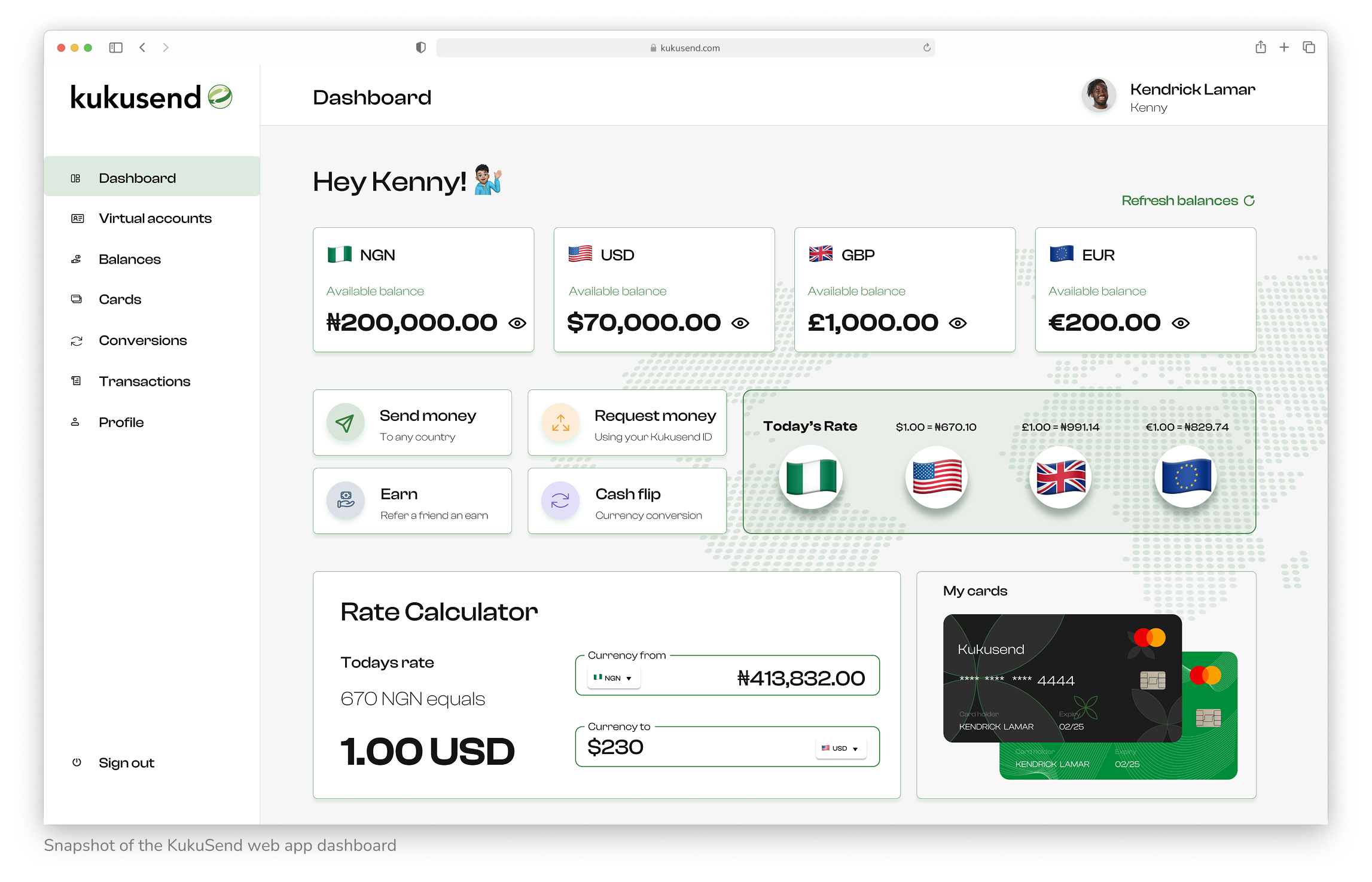
KukuSend makes cross-border money transfers simple, fast, and transparent, delivering a seamless digital experience for sending and receiving money internationally.
Multi-Currency Transfers: Users can send and receive money across multiple countries and currencies without hidden fees or complicated steps.
Secure & Transparent Payments: KukuSend uses secure payment infrastructure to protect user data and ensure reliable transfers.
Web App Wallet & Transfer Tracking: Users can monitor transfers, view transaction history, and track funds in a clear, intuitive interface.
User-Friendly Experience: By simplifying every step, KukuSend makes international transfers effortless, transparent, and reliable for users.
Real-Time Transaction Updates: Both senders and recipients receive instant notifications about transaction status, reducing uncertainty and building trust.
My Role
I co-led the design of the KukuSend product alongside another product designer. Together, we shaped the overall user experience from the ground up, structuring the platform, mapping user flows, and designing intuitive interfaces.
While the other designer focused on the mobile app, I led the design of the web app, creating wireframes, crafting responsive interfaces, and collaborating with developers to ensure a smooth and accurate build.
Key Responsibilities:
- Web app user flow mapping
- Visual and interaction design
- Wireframing and responsive interface design
The Problem
Before the web app, KukuSend only had a simple marketing website that didn't showcase the full potential of the service. Users couldn't explore the product, send money, or interact with the platform. In contrast, competitors like Chipper Cash and Payday offered seamless, product-led experiences that made sending money feel effortless.
KukuSend, however, offered something different: a simpler, more direct approach to international transfers, designed to remove common pain points like hidden fees, complicated onboarding, and reliance on agents. Without a proper web app, this unique value wasn't reaching users.
There was a clear need to design a fully functional web app from scratch—one that was fast, secure, approachable, culturally relevant, and transparent. The challenge was to turn KukuSend's quiet strengths into a visible, usable, and trustworthy digital product.
Core Issues Identified:
- No functional product experience on the website
- Users couldn't send or receive money online
- Lack of clarity around supported countries, conversion rates, and key features
- No onboarding or guided flows
- Limited trust-building elements compared to competitors
- Product value not effectively communicated or convey trust.
The goal wasn't just to build a new interface, it was to unlock KukuSend's potential by transforming a solid infrastructure into a complete, user-ready web app experience.
Research & Audience Understanding
To design an experience that truly serves its users, we focused on understanding KukuSend's audience: migrant workers, international students, and small business owners who regularly send money to family, friends, or partners across borders. We explored their current behaviors, workflows, and tools, including apps like Chipper Cash, and Payday.
Through user interviews, research, and competitor analysis, three recurring pain points emerged:
Unreliable transfers: Delays or failed payments caused anxiety, especially when timing was critical.
Complex interfaces: Cluttered apps made it hard to track money or understand next steps.
Lack of transparency: Users worried about hidden fees and the safety of their personal data.
At the same time, users highlighted what mattered most in a money transfer experience:
Speed: Funds should arrive quickly and consistently.
Transparency: Clear communication around rates, fees, and delivery times.
Ease of use: A simple, intuitive experience for first-time users or those with limited digital literacy.
These insights directly shaped KukuSend's design approach: a clear, approachable content tone, simple UI patterns, visible status indicators, and a layout emphasizing speed, security, and actionable steps. The goal was to ensure users always feel confident, informed, and in control throughout every transfer.
Users Journey
The user journey map outlines the step-by-step payment experience for passengers and drivers, highlighting key actions, thoughts, and friction points. These insights guided the design decisions behind Ridepay's streamlined payment flow, ensuring a smooth and user-centered experience.
User Flow
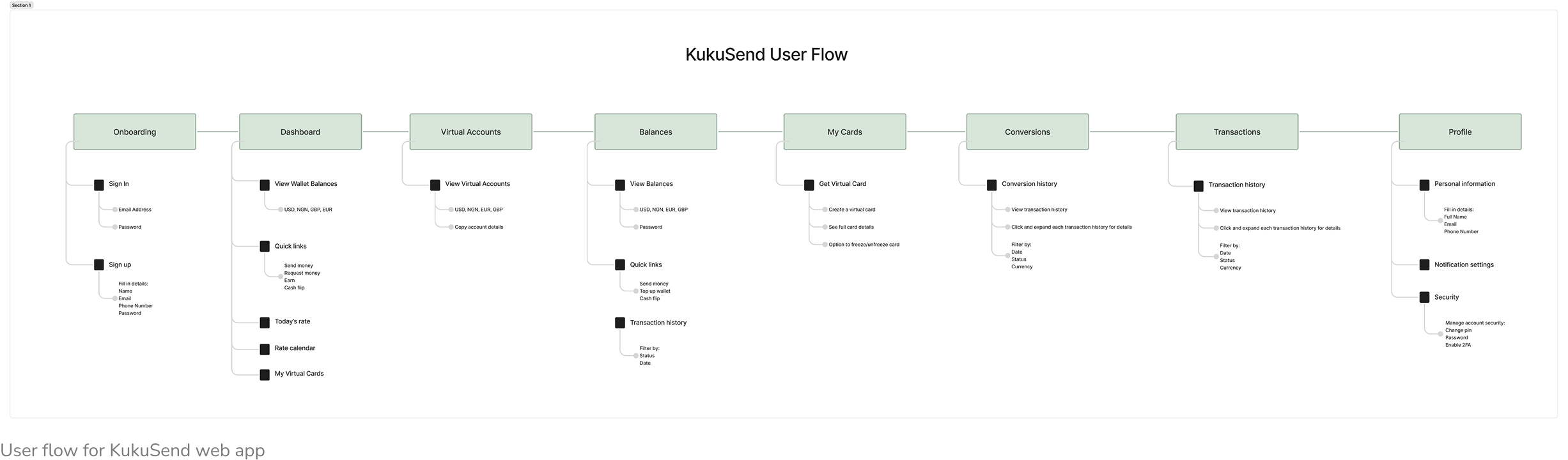
This flow maps the entire user journey from onboarding to key actions like sending money, managing virtual accounts, and converting currencies. Each step was designed to be intuitive, secure, and optimized for ease especially for users new to digital finance tools.
Typography
Clash Display
Clash Display is a bold, contemporary display typeface with strong personality and visual impact. It was chosen for KukuSend to convey confidence, modernity, and approachability, while ensuring headings and key interface elements stand out clearly across web and mobile screens.
ABCDEFGHIJKLMNOPQRSTUVWXYZ
abcdefghijklmnopqrstuvwxyz
1234567890./?!@#$%&<>:;{}[]^#
Light
aRegular
aMedium
aSemibold
aBold
aColor System
Green
Primary Color
HEX: #39813F
Light Green
Secondary Color
HEX: #DDEADF
White
Light Theme
HEX: #FFFFFF
Grey
HEX: #DFDFDF
Text Color
HEX: #151413
Design Components & Assets


Kukusend Screens
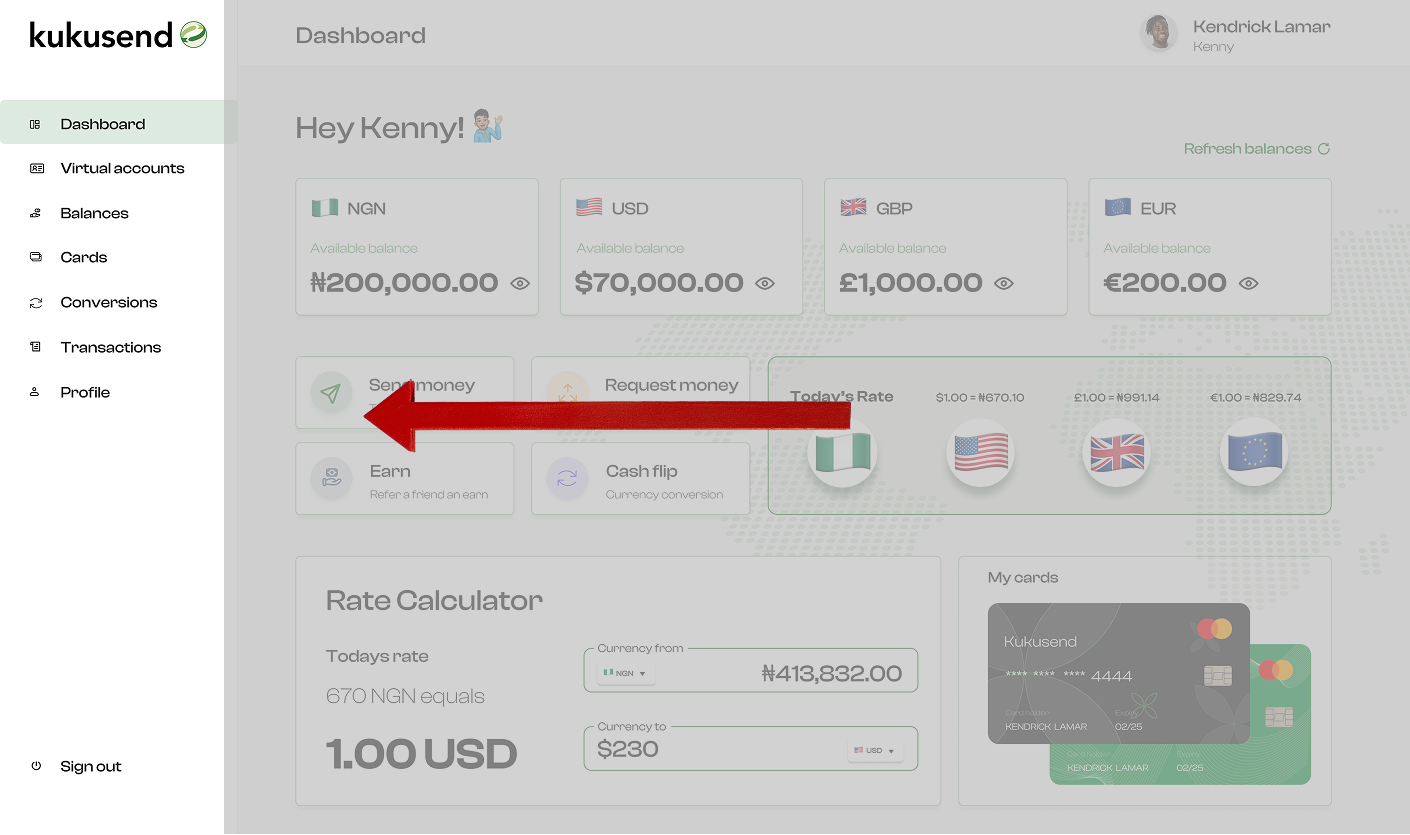
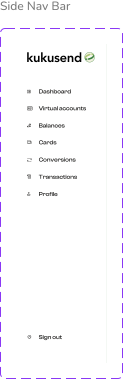
Clean, Collapsible Sidebar
Once users enter the app, the sidebar guides their journey laying out key tools like Dashboard, Balances, Virtual Accounts and so on in a clean, collapsible layout that keeps navigation clear and actions easy to reach.
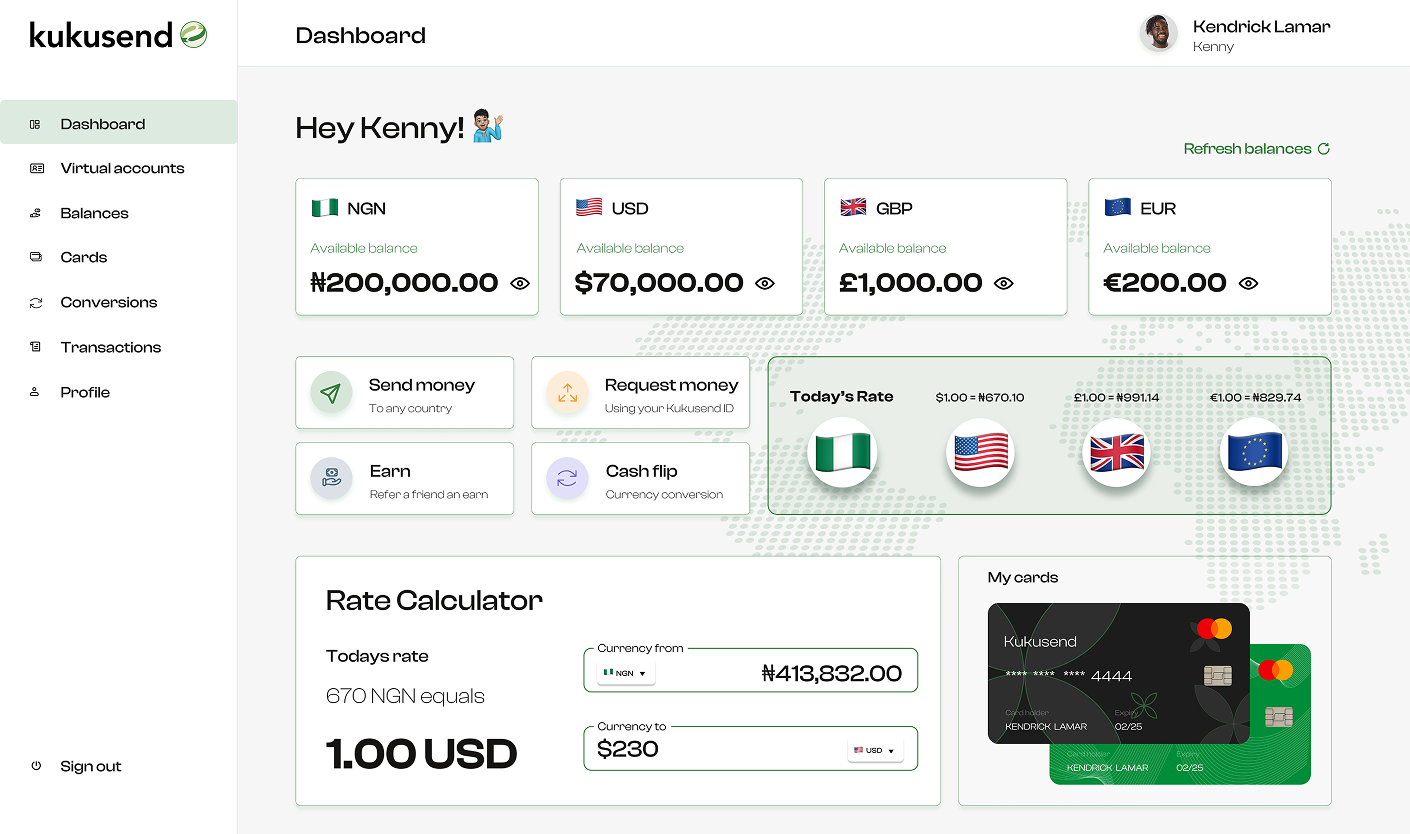
Action Focused Dashboard
As users land on the dashboard, they’re met with quick actions like Send Money, Request, Cash Flip, and Earn plus a live rate calculator and multi-currency wallet balances all arranged to simplify tasks and boost confidence from the start..
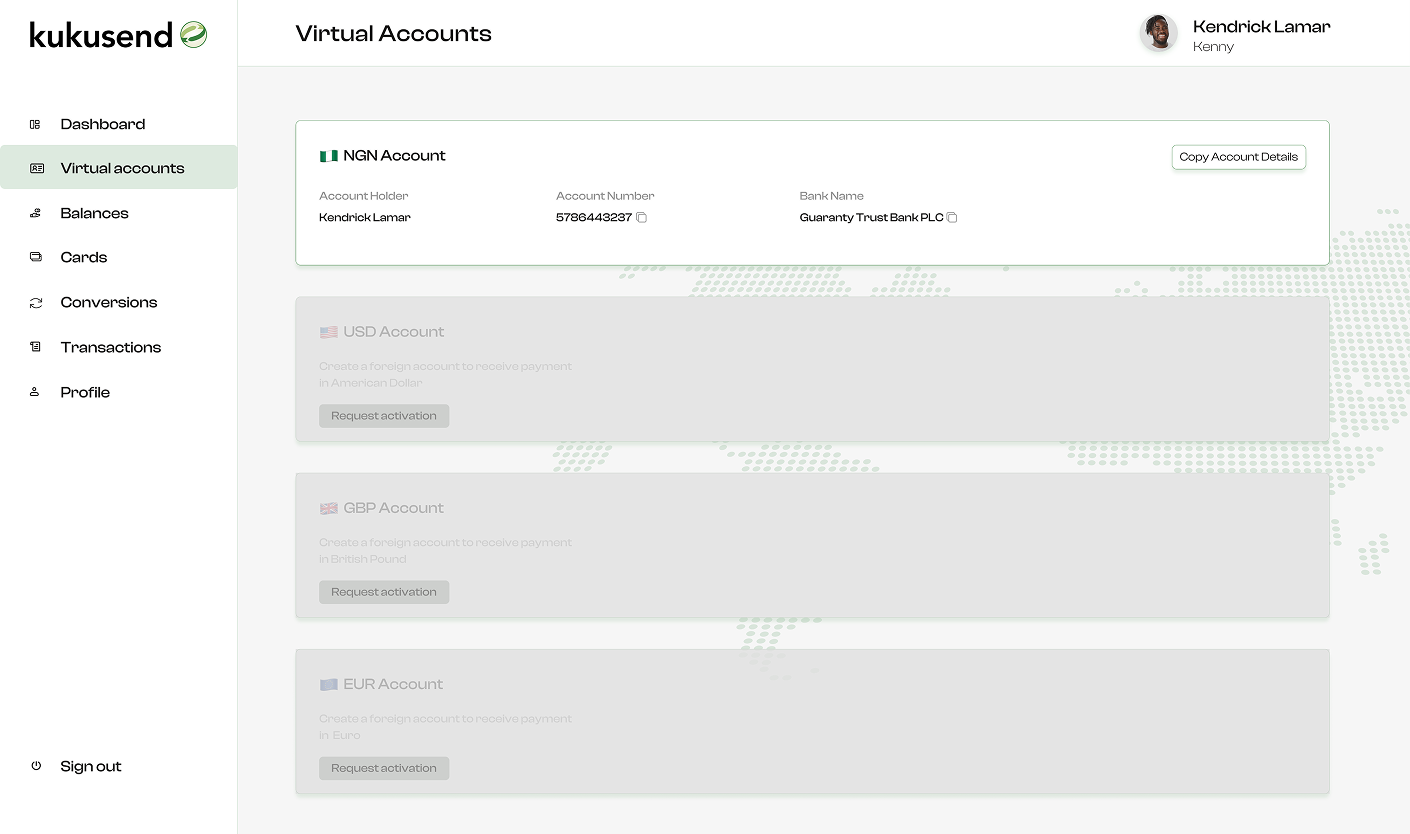
Bank-Like Virtual Accounts
As users explore the Virtual Accounts section, they’re presented with local account numbers in a layout that mirrors traditional banking, using clear tiles, copy icons, and status indicators to build trust while keeping things simple and approachable.
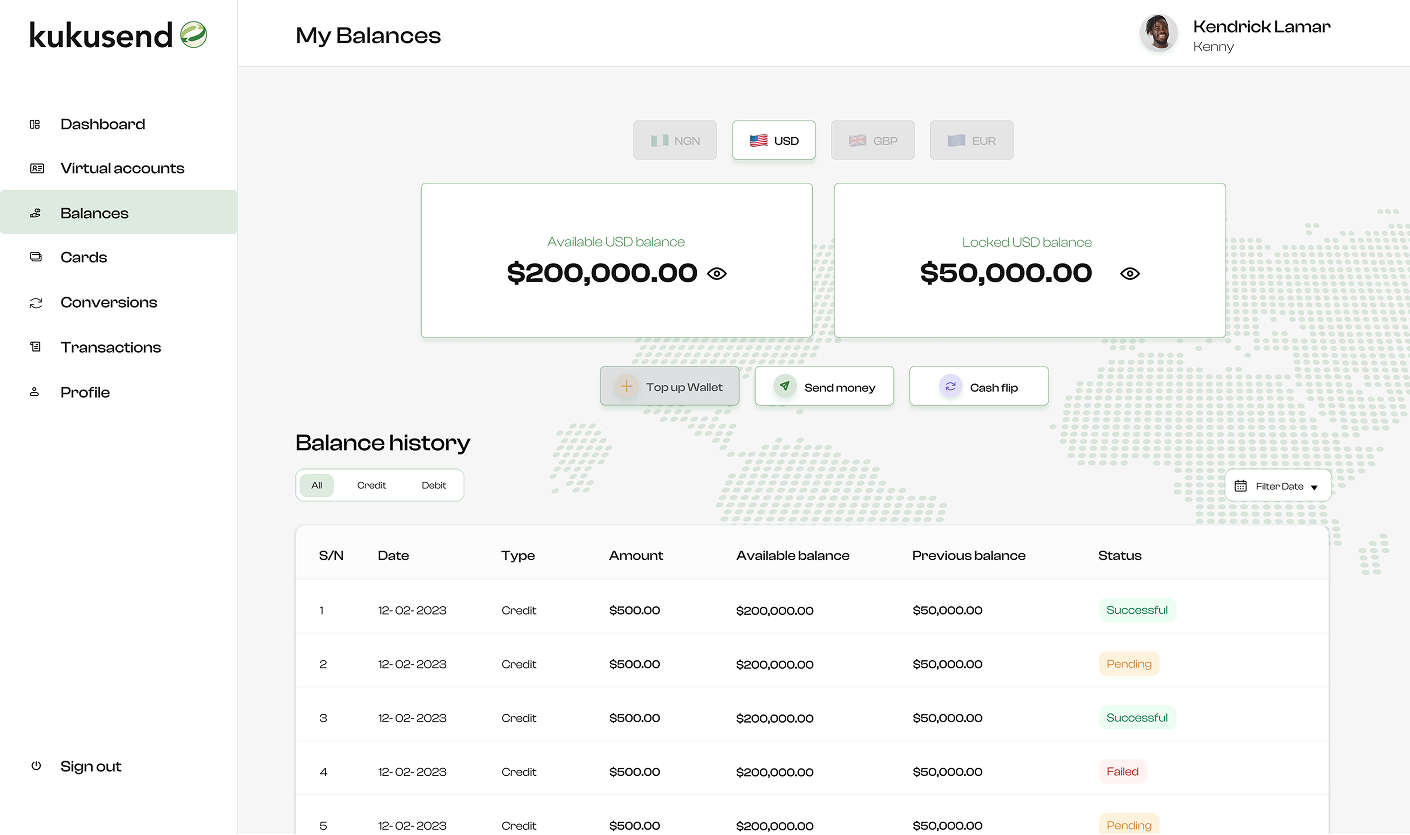
Balances Across Wallets
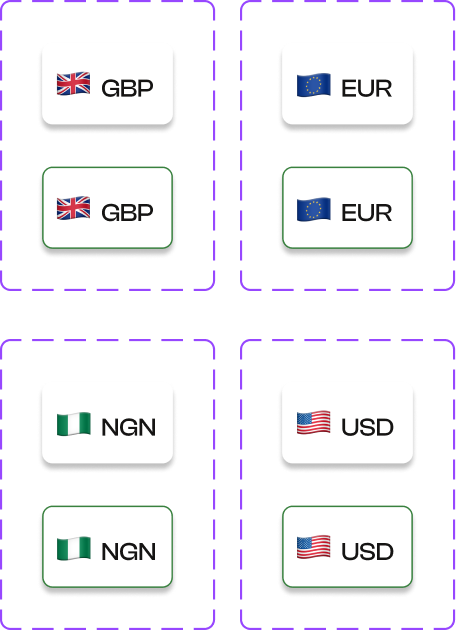
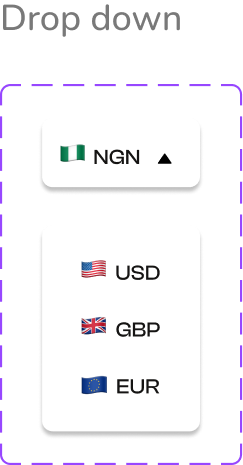
As users move through the app, they can instantly view their available funds by currency. With clear labels and toggle options, switching between wallets or checking detailed breakdowns feels seamless, helping them make quick, informed decisions.
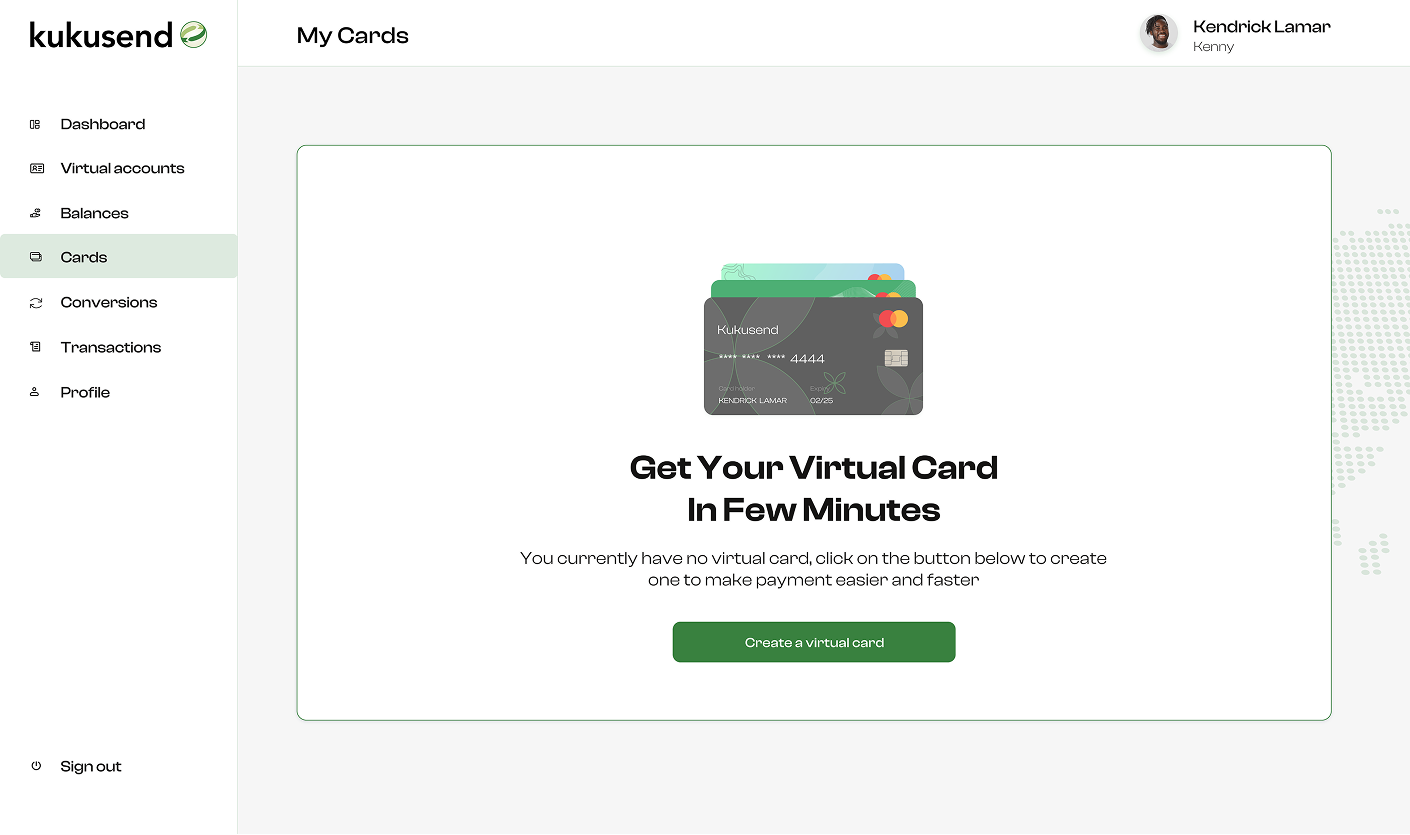
Keeping Your Cards in Check
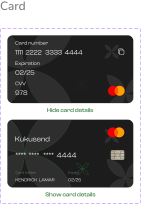
When users access the Cards section, they see all their virtual cards clearly laid out, complete with masked digits, balances, and quick actions like freeze or top-up. Every interaction is designed for safety and clarity, helping users stay in control without feeling overwhelmed.
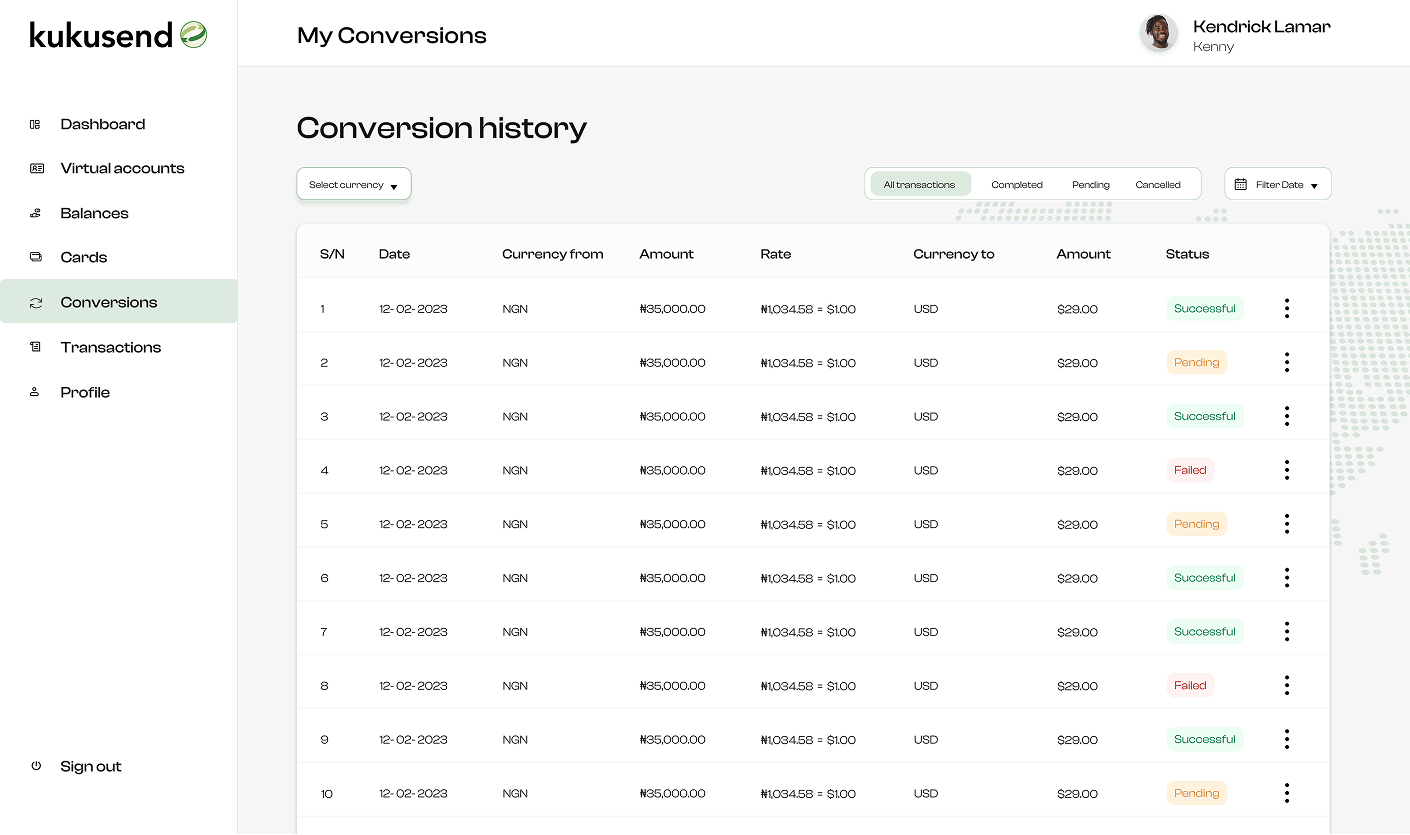
All Your Conversions
Users can view their entire conversion history at a glance with filters to sort by status, currency, or date. Whether checking a completed swap or tracking a pending one, it's easy to find and review past activity with full clarity.
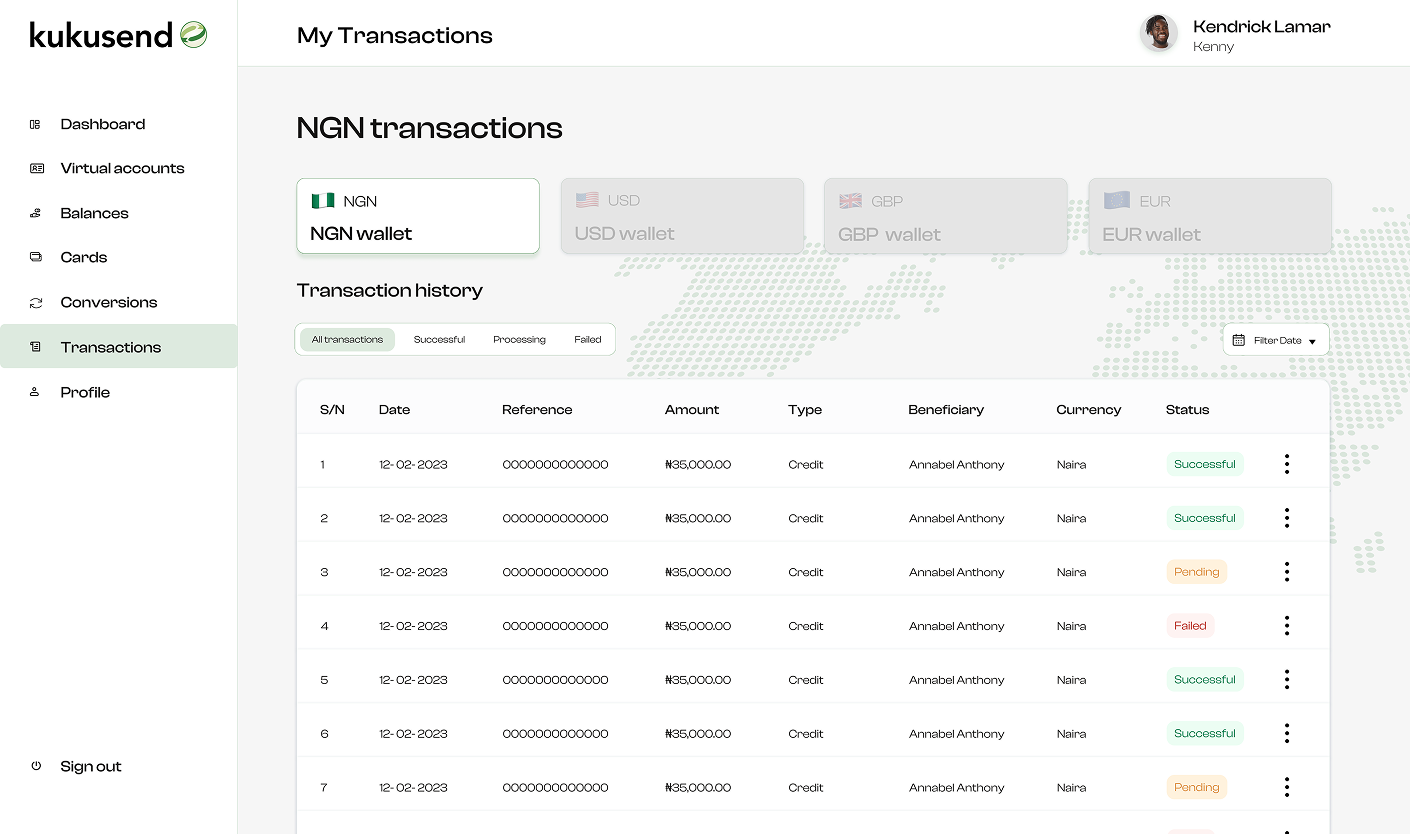
Transactions
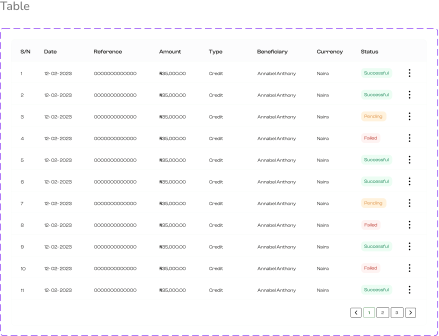
As users explore their transaction history across all currency wallets, they can filter by type, status, or date to surface exactly what they need. Color-coded rows (green for success, yellow for pending, red for failed) make scanning simple, while expandable cards reveal full details from recipients to fees. It’s not just a ledger it’s a clear, searchable record of every financial move.
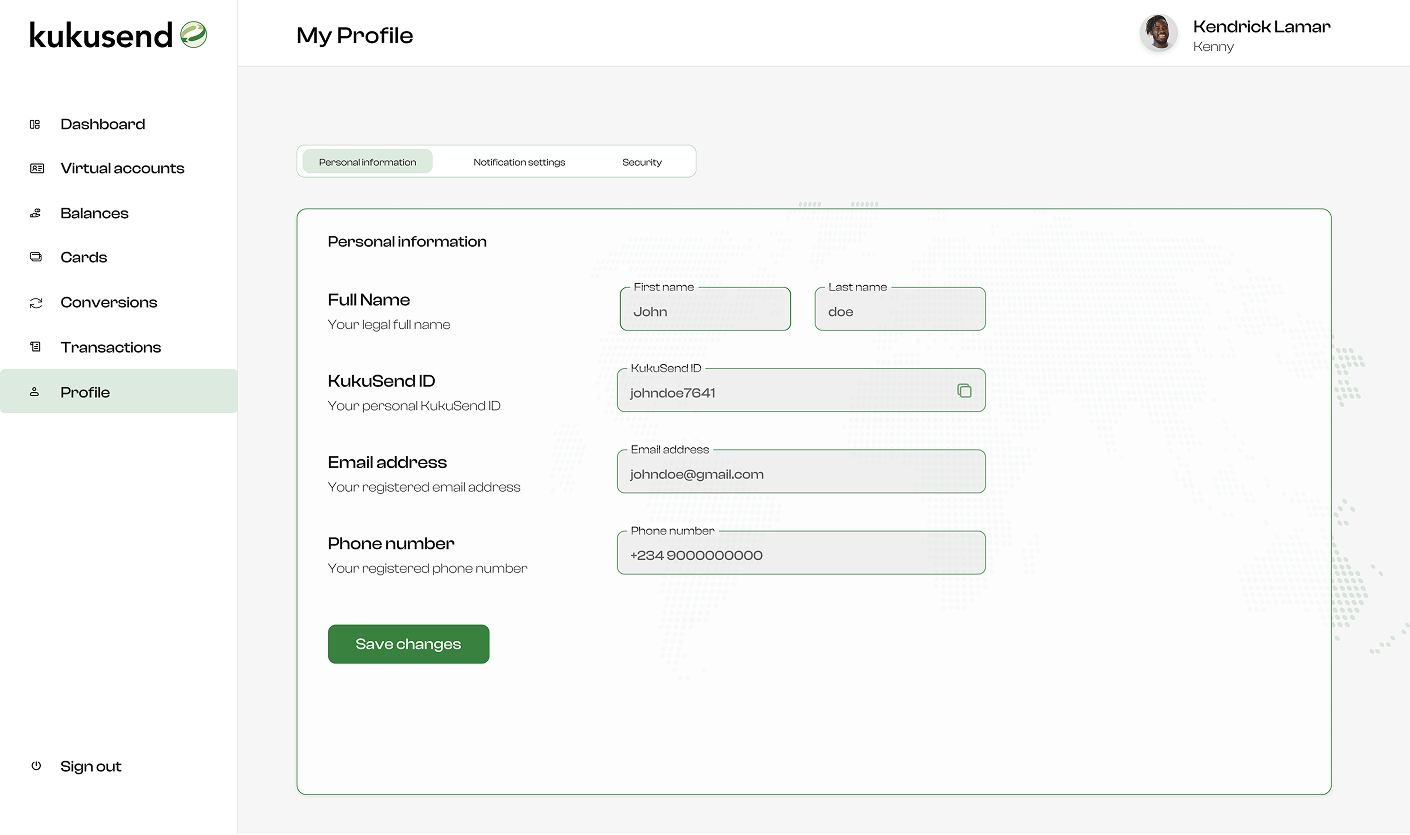
This Profile Was Built Around You
The users screen lets users update and manage their personal information such as profile pictures, account info, and security settings with ease. The profile section provides users with complete control over their experience and interaction with the platform.
Prototype
A quick look at the KukuSend web app prototype showcasing the user experience, highlighting how users navigate the platform and complete key tasks effortlessly.
Results
The KukuSend web app launched internally in 2024 with streamlined flows and guided interactions. Even before external testing, it earned praise from stakeholders for its intuitive structure, improved clarity around key actions, and a consistent experience across devices.
Key Takeaways
Designing KukuSend was about more than just creating a user interface, it was about building a product users could understand, trust, and navigate with ease. Along the way, this web app taught us a few valuable lessons:
Design for utility, not just beauty Web apps aren’t landing pages they’re built for doing, not just viewing. We prioritized structure, flow, and usability to ensure every action had purpose.
Clarity builds trust By clearly displaying balances, fees, and next steps and putting control in users’ hands, we reduced confusion and helped users feel more confident.
Collaboration sharpens outcomes Co-designing with another designer made room for faster iteration, stronger critiques, and a more unified end result.